
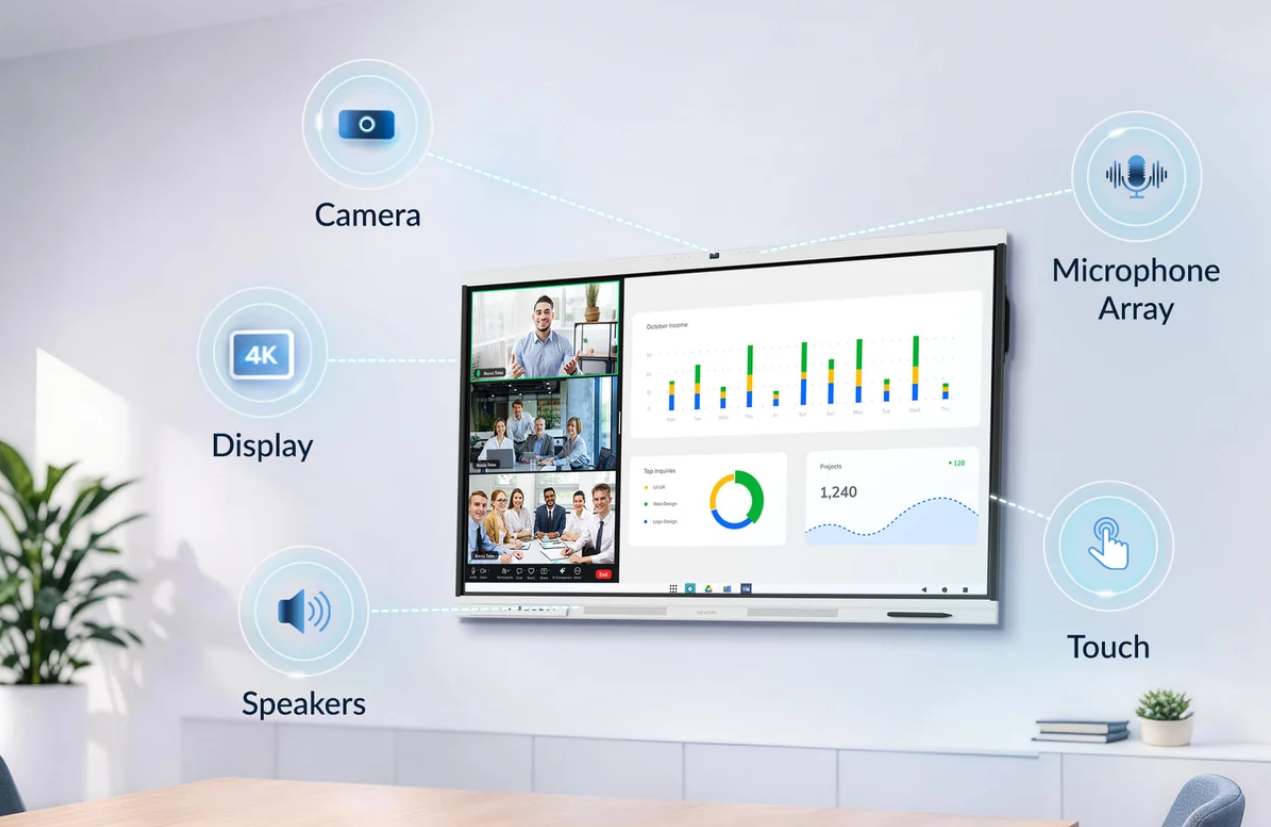
Choosing a meeting board for a professional workspace requires more than comparing screen sizes and camera specifications. Businesses need to consider how employees join video calls, share presentations, collaborate on documents, and connect their own devices. Compatibility also matters because different meeting platforms may have different software and hardware requirements. Evaluating these factors before purchasing can help organizations avoid unnecessary configuration work and additional equipment costs.
Nework develops smart meeting displays and collaboration solutions for business and education environments. Its NewBoard P Series combines interactive meeting functions with an integrated conferencing camera. Businesses can assess its features alongside their existing software, room layout, and device requirements to determine whether the system fits their daily collaboration needs.
Check Compatibility with Different Meeting Platforms
Zoom, Microsoft Teams, and Google Meet each have specific requirements for joining meetings, sharing content, and selecting audio and video devices. Before purchasing a meeting board, IT teams should confirm how their preferred platforms will run on the proposed configuration. They should also distinguish between basic application access and full support for the functions employees use every day.
For Zoom, buyers should review meeting access, screen sharing, and camera and microphone selection. Organizations using Microsoft Teams should check account access, meeting controls, and compatibility with their existing IT environment. For Google Meet, browser or application requirements, account permissions, and supported video sources deserve attention. These checks help procurement teams identify configuration differences before installation.
Platform availability does not automatically confirm full compatibility. Software versions, operating systems, account policies, and hardware connections can affect the actual meeting experience. Buyers should verify current requirements with the relevant software providers and request confirmation of any claimed certifications. A demonstration using the organization’s normal accounts and meeting procedures can provide a more practical assessment than a general feature list.
Assess Camera Performance in the Meeting Room
Camera specifications influence how remote participants see colleagues in a physical meeting room. Resolution is important, but framing, focus, exposure, and color reproduction also affect image quality. A camera may capture detailed images without showing everyone clearly if its viewing angle does not suit the room layout. Window positions and overhead lighting can also influence the result.
The NewBoard P Series features a 48MP 4K conferencing camera with intelligent 3A functions: auto exposure, focus, and white balance. These functions help manage changes in lighting and focus during professional video meetings. For businesses that regularly hold remote discussions, they provide useful reference points when evaluating how the camera may perform in everyday working conditions.
The camera also offers a 108° ultra-wide field of view, accurate color, and ultra-low distortion. This viewing angle is designed to capture participants across the room while keeping the image natural-looking. However, actual coverage still depends on room dimensions, seating arrangements, and the distance between the display and participants. Buyers should test the camera with a typical group rather than relying on specifications alone.
Plan the BYOD Connection Process
Bring Your Own Device (BYOD) allows employees to use their own laptops or other approved devices during meetings. This approach can accommodate familiar applications and existing work accounts. However, the experience depends on how the personal device connects to the meeting board and which equipment handles the call, camera, microphone, and speaker output.
When evaluating NewBoard P series for business, procurement teams should clarify the intended connection method before finalizing the equipment list. They need to confirm supported operating systems, available interfaces, screen-sharing options, and peripheral requirements for the specific configuration. These details should be verified with the supplier because the term BYOD does not describe one universal connection method.
A practical test should follow the steps employees will use in a normal meeting. One participant can connect a laptop, join a video call, share a presentation, and switch between presenters. The team should check whether the correct camera and audio devices are selected and whether extra adapters or cables are needed. Testing the full process helps reveal setup difficulties before the board enters regular use.
Match the Equipment to Daily Workflows
A meeting board should fit the physical space and the activities that take place there. Small meeting rooms may prioritize simple connections and clear camera framing, while larger conference rooms may require more careful planning for viewing distance and audio coverage. Buyers should consider room capacity, seating positions, lighting conditions, and the location of existing equipment before selecting a configuration.
The type of collaboration also affects purchasing decisions. Sales teams may spend much of their time presenting proposals to remote customers, while project teams may focus on reviewing documents and discussing shared information. IT departments should identify these common tasks and test whether the proposed system supports them without requiring employees to follow complicated procedures.
Network access, account permissions, device management, and software updates also deserve attention. Businesses with internal security policies should confirm that the planned setup follows their requirements for access and information handling. During a trial, users should join a real meeting, share content, check camera framing, and confirm that remote participants can hear and see the room clearly. The results can guide installation and staff training.
Compare Requirements Before Purchasing
A structured evaluation helps procurement teams compare meeting boards on consistent terms. Platform compatibility, camera performance, BYOD connections, and deployment requirements should all be documented before the final decision. This approach also helps separate functions included in the quoted configuration from those that may require additional computers, accessories, or software arrangements.
For NewBoard P series for business projects, buyers should request written confirmation of the functions supported by the proposed setup. They should clarify which meeting applications are supported, what connection methods are available, and whether external peripherals are required. Installation responsibilities, maintenance procedures, warranty coverage, and technical support should also be discussed before the purchase is approved.
Build a Setup Around Real Meeting Needs
A suitable meeting board should work with the organization’s software, provide clear video, and support a practical connection process. Businesses that evaluate these requirements together can make more informed purchasing decisions and reduce avoidable setup problems. Testing the complete meeting workflow remains important because specifications alone cannot confirm how a device will perform in a particular room.
Nework offers the NewBoard P Series as an all-in-one smart meeting board for professional video conferencing. Business buyers can review its 48MP 4K camera, 108° field of view, and intended meeting workflows with the company before selecting a configuration. Confirming platform requirements and BYOD arrangements in advance helps organizations determine whether the equipment suits their collaboration environment.
